Fix · Blank or faint receipts
Receipts are printing blank or faint
Blank receipts usually mean the roll is loaded the wrong way and needs flipped over. Faint receipts usually mean the print head needs cleaning.
Blank · Change the paper roll
Check and reload the paper roll
-
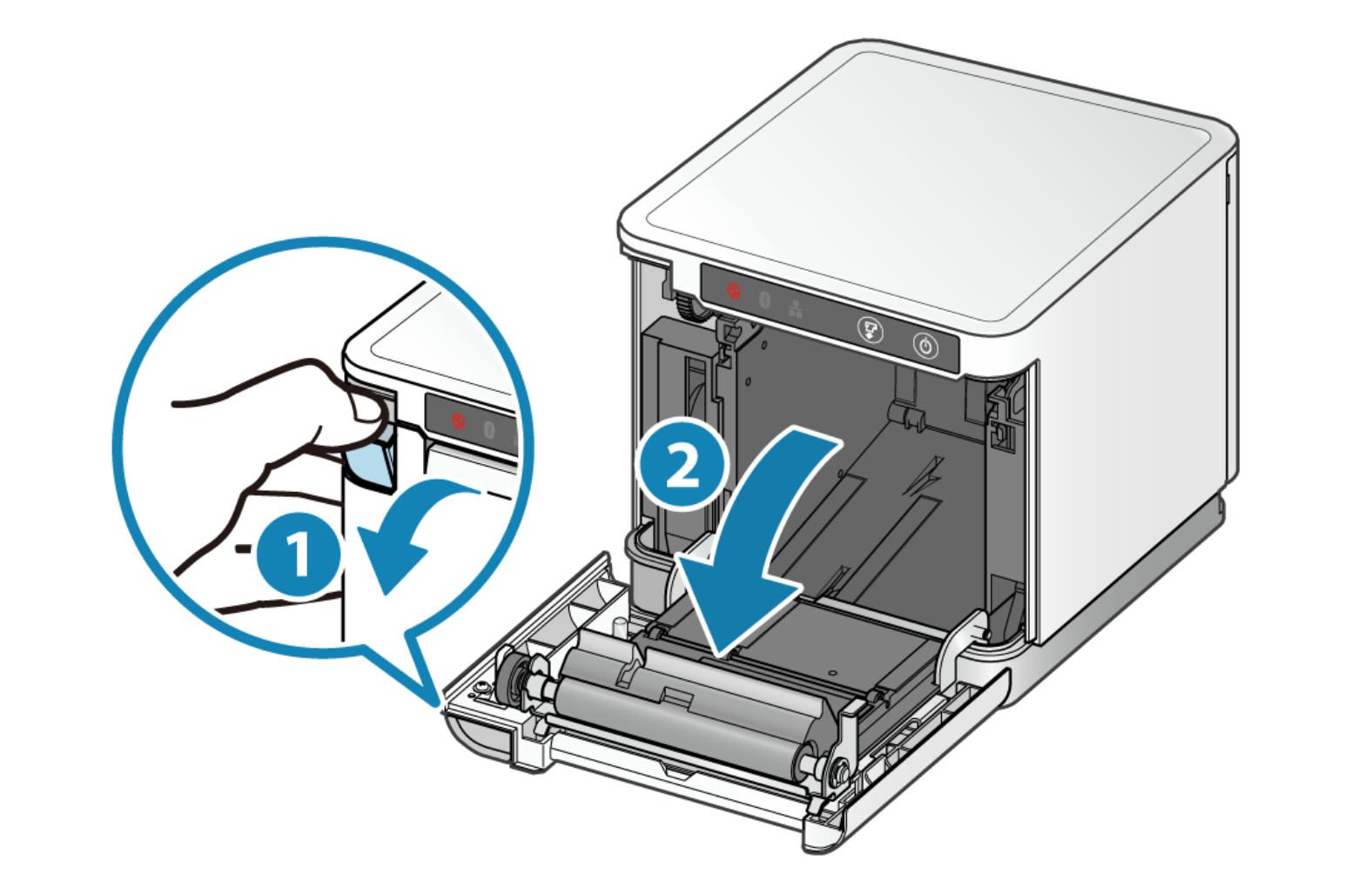
Press the release lever and pull the front cover open.
-
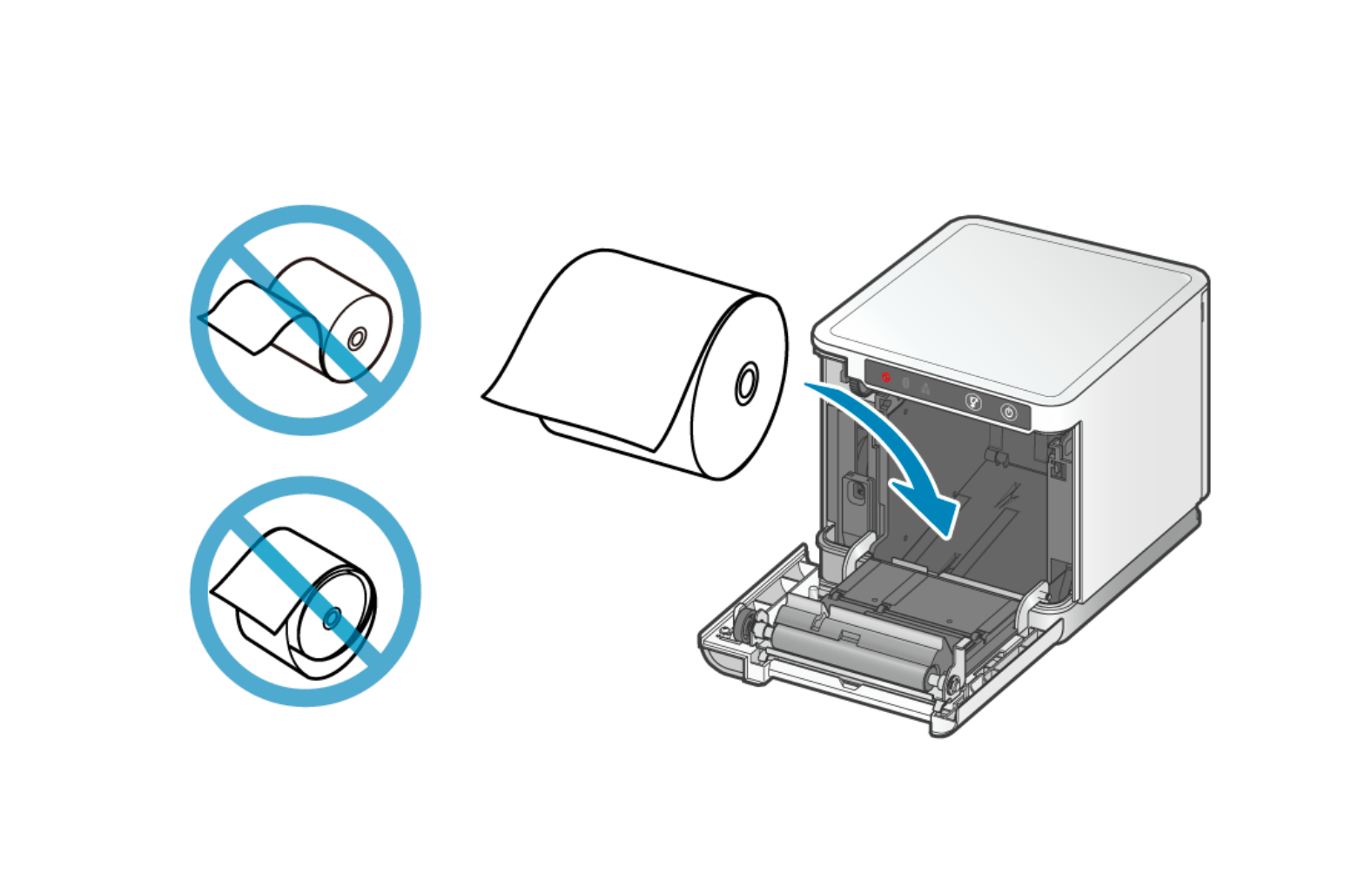
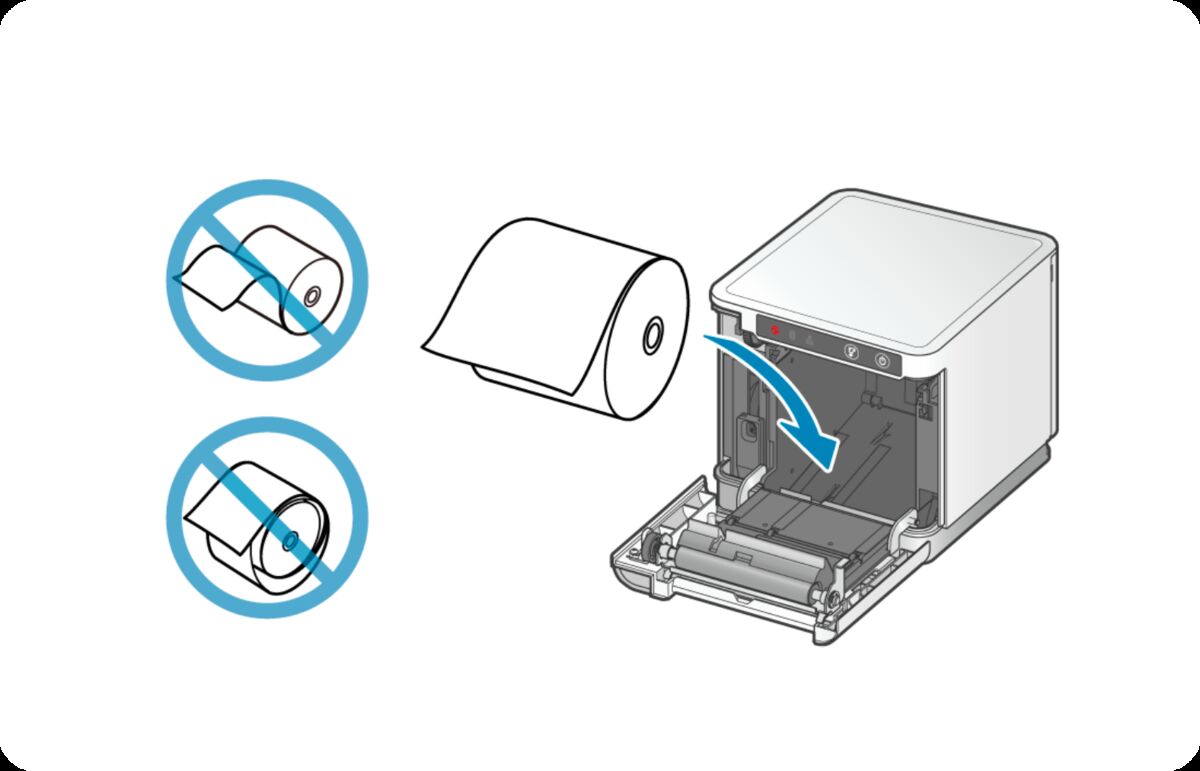
Drop the roll in so the paper feeds off the bottom and out toward the front. The two crossed-out rolls show the wrong orientations — if your roll looks like those, flip it over.
-
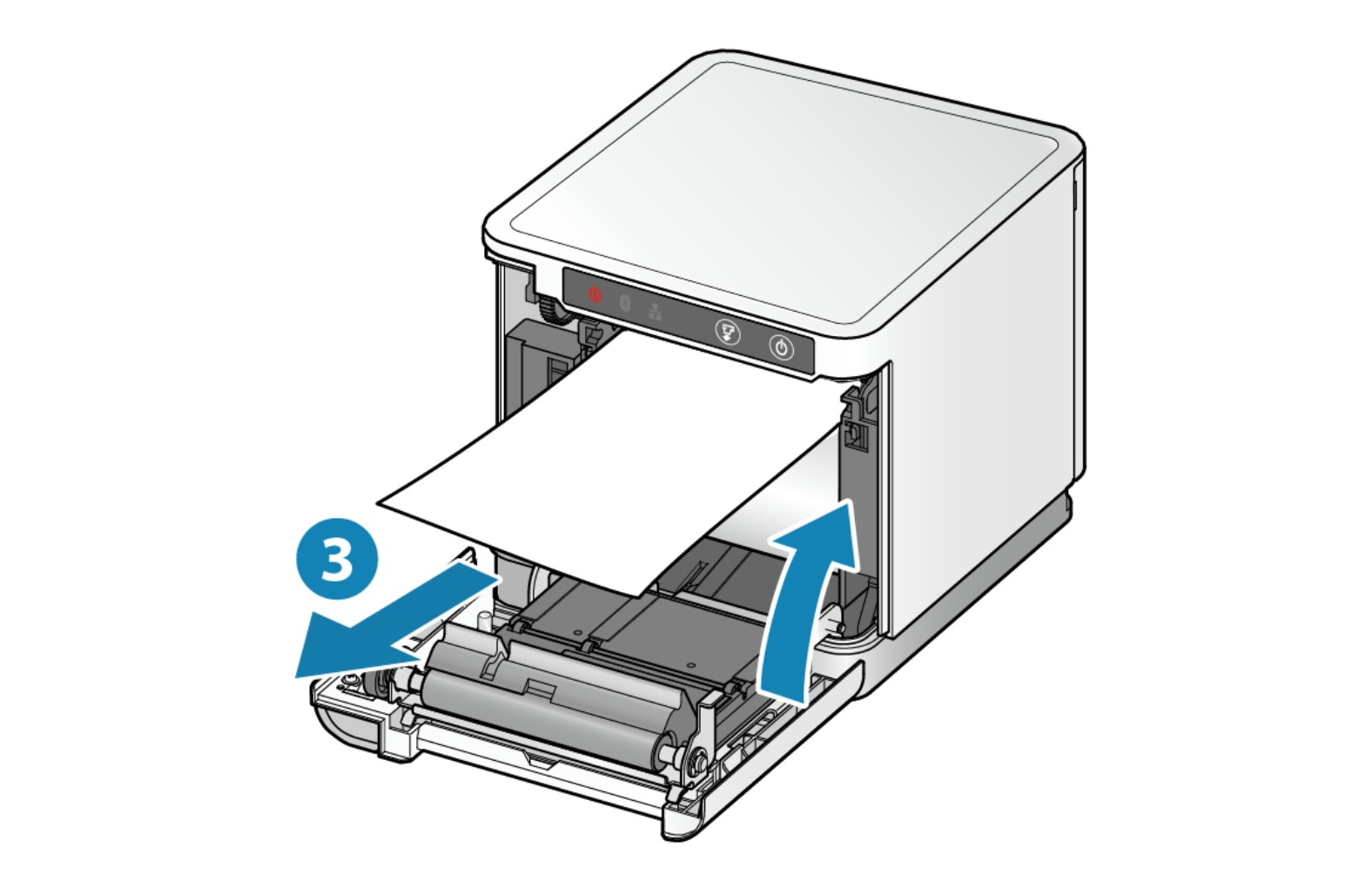
Pull the end of the paper out past the tear bar so a few inches stick out the top.
-
Close the cover firmly until it clicks, then tear off the extra paper.
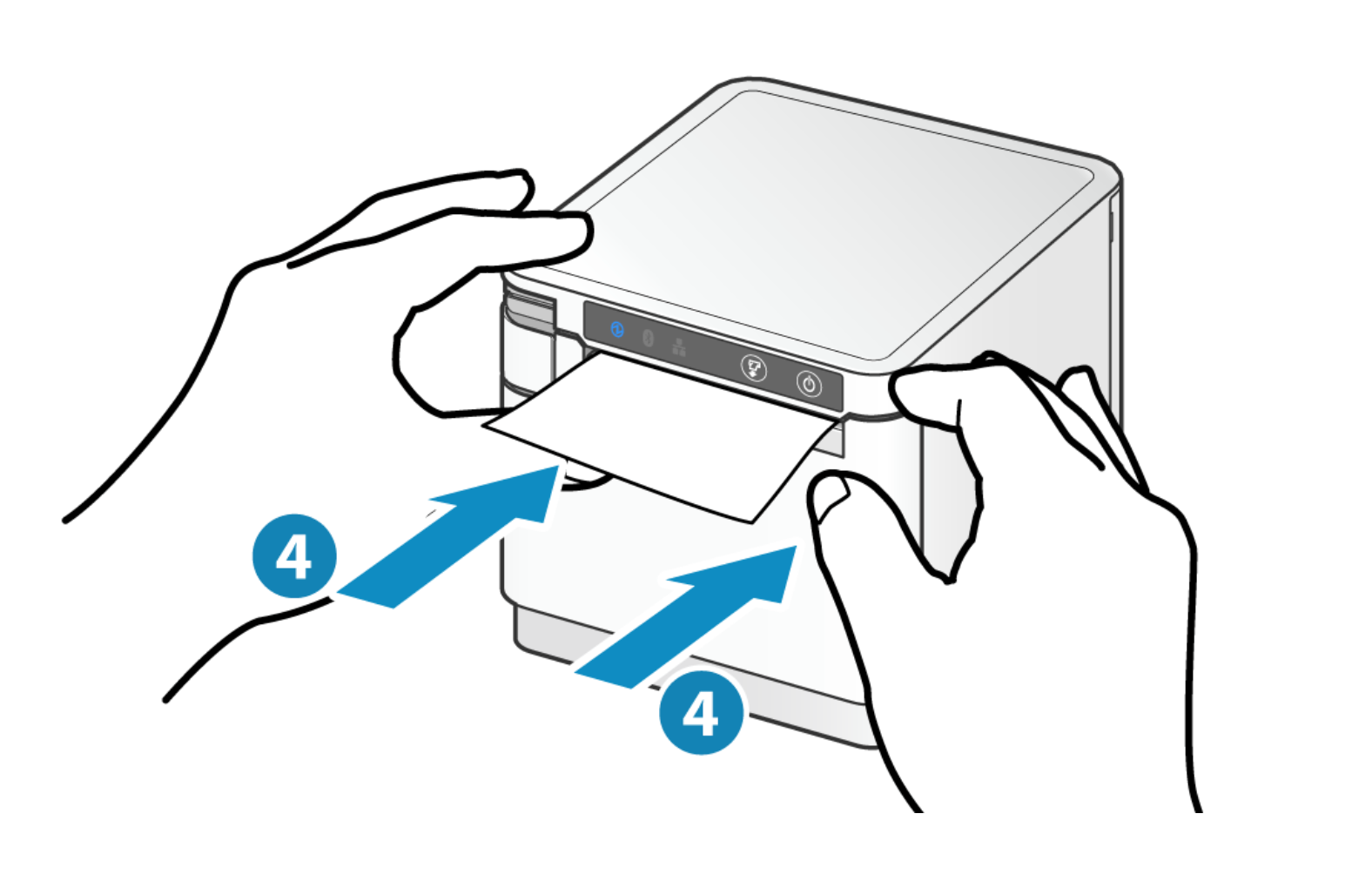
What a correctly seated roll looks like
Faint · Clean the print head
Clean the print head
If receipts print but the text is light, smudged, or patchy, the print head and roller need a quick clean. Over time, paper dust and residue build up and weaken the print.
Star Micronics has a short daily-care guide that walks through cleaning the print head and platen roller with a cotton swab and alcohol. Follow their steps for the mC-Print3:
Star Micronics cleaning guideTip: confirm you're using 3 1/8" thermal receipt paper. The wrong paper type or an expired roll can also cause faint or blank prints — try a fresh roll if cleaning doesn't help.
Still having issues with how your receipts are printing? Double check both troubleshooting steps above. If you are still having trouble, send us the details below.